
Screens
Field Selection
Row Selection
Rule Extraction
Browse All
Browse Test
Confusion Matrix
Live Predictions
Field Statistics
Class Details
Tree Chart
Flow Chart
Browse Filter
Serial Number
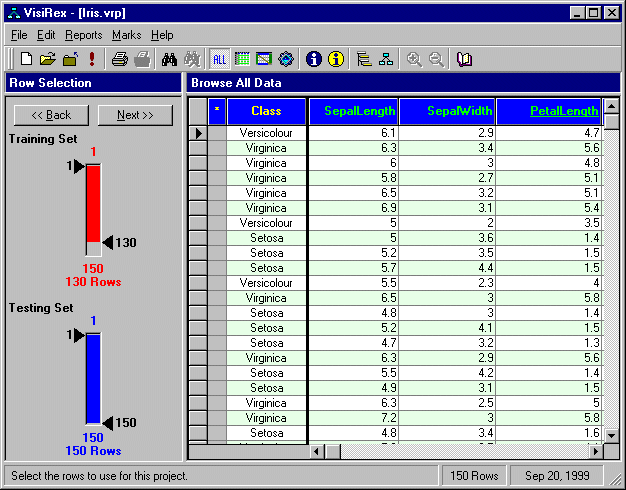
This is the second screen of the three screen rule extraction wizard.
The Back<< button moves you backward to field selection>
The Next>> button moves you forward to rule extraction
Row Selection... Training Set
- Choose what rows you wish to use for extracting the rules.
- You can drag the black numbers, or double click a black number to over-type. HINT: Remember to press Enter after you over-type a black number.
Row Selection... Testing Set
- Choose what rows you wish to use for testing the performance of the extracted rules.
- You can drag the black numbers, or double click a black number to over-type. HINT: Remember to press Enter after you over-type a black number.
Row Selection... Hints
- For data mining by anomaly detection, use the same rows for both training and testing.
- For model building, select the Testing Set so none of these rows are seen during the training of the rule extraction.
- For very large data sets, you will get faster performance if you avoid selecting too much data in either set.
- In order for the training set and testing set to be of the same character, it is important that data be randomly shuffled.